
A product registration app for Shopify should do three things: capture the owner, verify the registration against a real purchase, and connect it to what happens when a claim arrives. Most registration apps do the first. Fewer do the second. Very few do the third. The seven checks below tell you which kind you’re looking at before you install it.
Registration apps look alike on the listing page. A form, a QR code, a thank-you email. The differences show up months later, when a claim arrives and you need the registration to answer a question.
The average warranty registration rate is 38%. So 62% of the people who own your product are invisible to you. Only 6.1% of consumers say they always register.
How you ask accounts for most of that gap. A traditional form gets 10–20%. A QR code on the packaging gets 30–50%. A QR code with pre-filled fields gets 40–60%. For more on what the unregistered 62% cost you, read 62% of your customers never register their warranty.
This is the check that matters most. A registration that resolves against a Shopify order line item is a fact. One typed into a free-text form is a claim the customer made about themselves.
Ask: if someone registers a product nobody bought, does the app accept it?
A registration app that accepts duplicates will eventually give you two owners for one sofa, or one owner claiming on the same kettle twice. The fix is one registration per unit sold, enforced by the system rather than noticed by a person.
Shopify orders are the easy case. Customers who bought on Amazon, in a store, or as a gift have no Shopify order to match. The app needs a path for them, such as a serial number plus proof of purchase, rather than a free-for-all form.
If your policy changes next year, what happens to the people who registered this year? The terms that applied on the day of purchase should be the terms that apply to their claim. Check that the app stores them, not just the product name.
Registration is the one post-purchase moment the owner identifies themselves to you voluntarily. That data should leave the app freely, through an API or webhooks, into whatever else you run.
Ask: can I export it any time, and can other systems be notified when a registration happens?
Every field you ask for costs registrations. The conversion spread above is almost entirely about friction. Pre-filled fields are the biggest lever.
This is where registration-only apps stop. A registration that sits in a list does nothing when the product breaks. Connected to a claims workflow, it answers the first three questions of every claim: did they buy it, when, and what’s covered.
| Check | Registration-only apps | warrantini |
|---|---|---|
| Matches a real order line item | Varies | Yes |
| One registration per unit | Varies | Yes, enforced by the database |
| Path for retail and gift purchases | Usually a free-text form | Serial number + proof of purchase |
| Coverage terms locked at registration | Usually an expiry date only | Yes |
| Data out by API and webhooks | Rarely | REST API and webhooks |
| Connected to a claims workflow | No | Same record |
If you will never process claims in the app, and you want a list of owners for email and recall reach, a registration-only app at $9–29 a month does the job. Say so to yourself honestly before you buy more than you need.
If claims are already arriving, or you want registration to decide coverage later, the seventh check is the one that matters.
A registration resolves against a real order line item, and each unit can be registered once. The database rejects the second attempt. For customers without an order number, the owner gives the product, its serial number, and proof of purchase instead.
The registration locks its coverage terms the day it’s made, from your coverage rules. When that owner files a claim later, through the same branded portal, the claim arrives already knowing what was bought, when, and what’s covered.
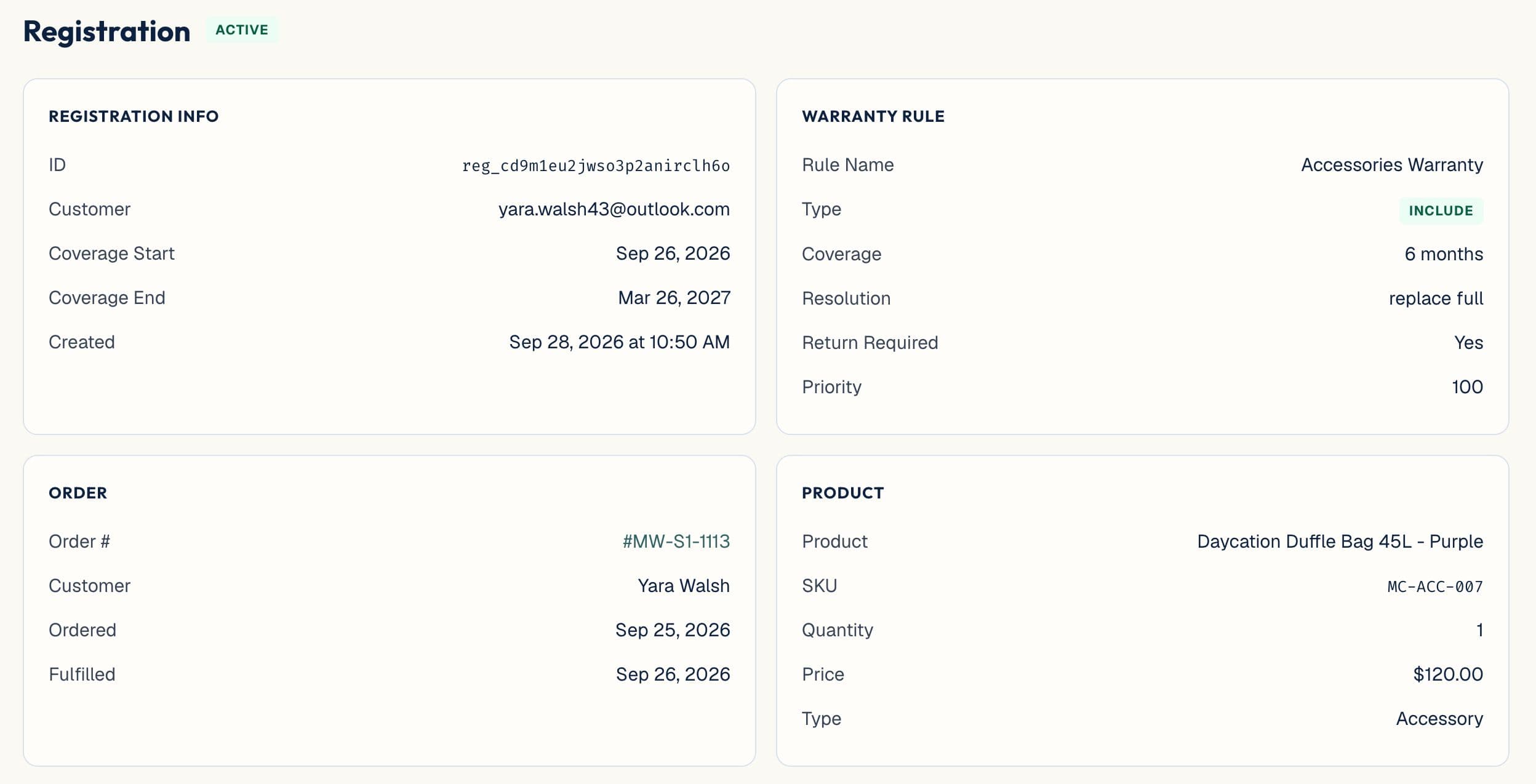
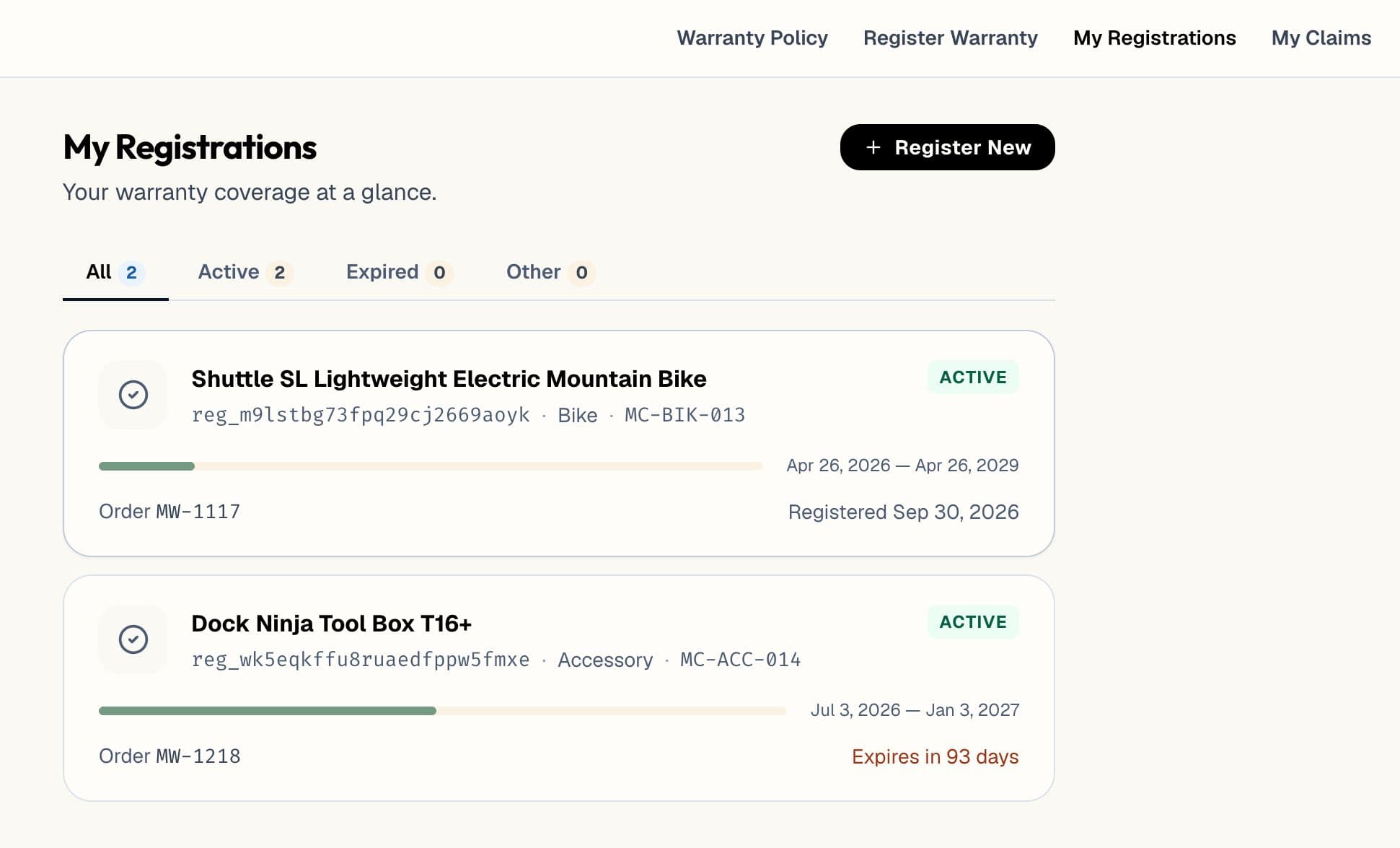
warrantini connects to Shopify through a free connector. It isn’t a Shopify app. The same record takes orders from Amazon, BigCommerce, WooCommerce, and NetSuite, or anything else through the ingestion API.
For the wider field of Shopify warranty tools, read Shopify warranty apps, sorted by what they actually do.
Be careful. Under US federal warranty law, a “full” warranty can’t require the owner to return a registration card as a condition of service. Most DTC warranties are “limited,” which gives more room, but read the rules before you make registration mandatory. The FTC’s guide to federal warranty law is the source.
The market numbers say yes. A QR code on packaging gets 30–50% registration against 10–20% for a plain form.