A good warranty claim form asks for four things: who the customer is, what they bought, what went wrong, and evidence of it. Everything else should be optional. The template below has 12 fields, built for brands that sell online, where the order already exists and the customer shouldn’t have to prove it twice.
Copy it into Google Forms, Typeform, or your helpdesk. Then use the five response templates for the replies your team sends most.
| # | Field | Type | Required | Why it’s there |
|---|---|---|---|---|
| 1 | Email used at checkout | Yes | Finds the order without asking for a receipt | |
| 2 | Order number | Text | If they have it | Confirms the purchase in one lookup |
| 3 | Where did you buy it? | Choice: our store / Amazon / a retailer / a gift | Yes | Decides what proof you need |
| 4 | Product | Choice from your catalog | Yes | Stops free-text product names |
| 5 | Serial number | Text | If the product has one | Identifies the unit and its batch |
| 6 | Purchase date | Date | If not bought from you | Sets the coverage window |
| 7 | What’s wrong? | Choice from your defect list | Yes | Makes claims countable by defect |
| 8 | Describe what happened | Long text | Yes | The customer’s words, which matter |
| 9 | When did it start? | Date | Yes | Separates early failure from wear |
| 10 | Photos | Upload, up to 5 | Yes | The evidence |
| 11 | Proof of purchase | Upload | Only for retail or gift purchases | Replaces the order lookup |
| 12 | Preferred contact | Choice: email / phone | No | Where the reply goes |
Three design choices do most of the work.
Field 3 routes the proof. A customer who bought from your store needs no receipt, because you have the order. A customer who bought on Amazon or in a store does. Asking everyone for a receipt is the slowest step in the claim.
Field 7 is a list, not a text box. Free text gives you 40 ways to say “the zipper broke.” A list of your own defect types turns every claim into a data point you can count by product.
Field 11 is conditional. Only ask for what the route needs.
Ask for the photos that answer the question, not “a photo.” Two is usually enough. One of the whole item, and one close-up of the problem.
| Product type | Photo 1 | Photo 2 | Also useful |
|---|---|---|---|
| Furniture | Whole piece | Close-up of the joint, seam, or break | Coin or ruler for scale |
| Electronics | Front of device | Serial label | Short video if it’s intermittent |
| Appliances | Whole unit | Rating plate with model and serial | Error code on the display |
| Bags and luggage | Whole bag | Close-up of the zipper, seam, wheel, or handle | The tag inside |
| Apparel and footwear | Whole item | Close-up of the failure | Care label |
| Outdoor gear | Whole item | Close-up of the failure | Where and how it was used |
These cover most of what your team sends. Swap the bracketed parts.
Subject: We've got your claim for [product]

Hi [name],

Thanks for sending this. Your claim for [product] is in, and it's number [claim ID].

We'll review it within [X] business days. If we need anything else, we'll ask here, so there's no need to follow up in the meantime.

[Your name]Subject: One more thing on your [product] claim
Hi [name],
To finish reviewing your claim, we need [specific item: a close-up of the seam / the serial number, which is on the label under the lid].
Reply to this email with it attached and we'll pick it straight back up.
[Your name]Subject: Your [product] claim is approved
Hi [name],
Good news. Your claim is approved under [policy clause, e.g. "the two-year frame warranty"].
Here's what happens next: [we're sending a replacement part / a replacement unit / a refund of $X to your original payment method]. [Tracking or timing.]
[Your name]Subject: About your [product] claim
Hi [name],
We've reviewed your claim, and we can't cover this one under the warranty. The reason is [specific reason], which falls under [policy clause].
We don't want to leave you stuck, so here's what we can do: [paid repair at $X / a replacement at X% off / the part, which you can order here].
If you think we've got something wrong, reply and tell us. A person will look at it again.
[Your name]For how to word this one well, read how to deny a warranty claim without losing the customer.
Subject: Your [product] claim is closed

Hi [name],

[Your replacement has been delivered / Your refund has gone through.] That closes claim [claim ID].

If anything else goes wrong with it, reply here and we'll reopen it.

[Your name]A form is a good start. It works while claims are rare and one person reads them all.
It stops working when the claims outgrow the person. The form collects the claim and then drops it in an inbox. Nobody can see status, and the order has to be looked up by hand. The replies live in email threads the next person can’t find. For the signs, read eight signs you’ve outgrown your warranty form.
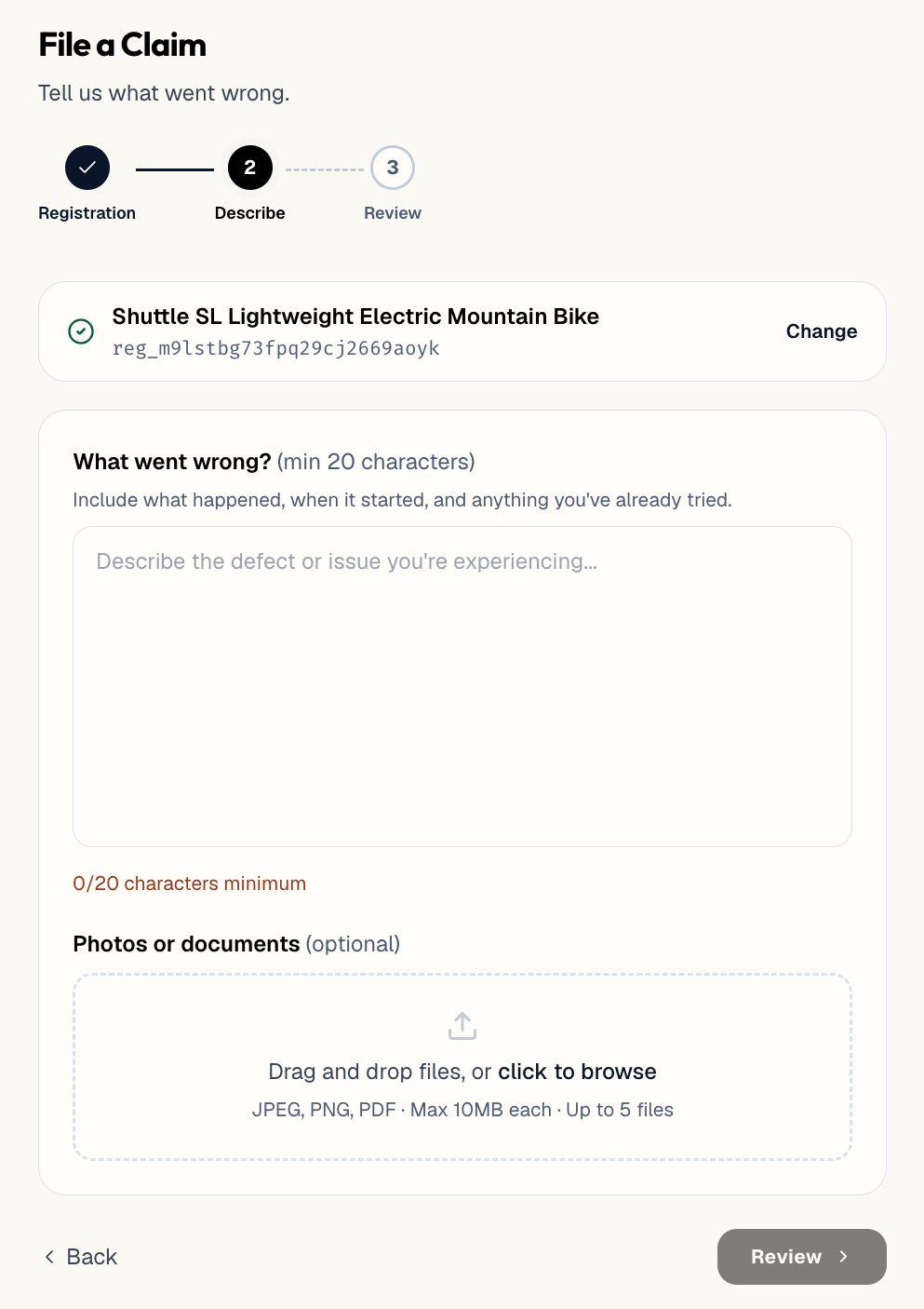
warrantini’s customer portal does what this form does, against real order data. The customer looks up their order, picks the product, describes the fault, and adds photos. Customers who bought elsewhere give a serial number and proof of purchase. The claim lands in claims management already analyzed, and the customer follows it to a decision without emailing anyone.
Requests for more information and the customer’s replies stay on the claim itself, not in an inbox.
Before you publish a form, write the policy behind it. Read how to write a warranty policy in 20 minutes.