Claims
A request made against a registration, automatically triaged, and resolved through repair, replacement, or refund.
A claim is a request made against a registration — never directly against an order or a product.
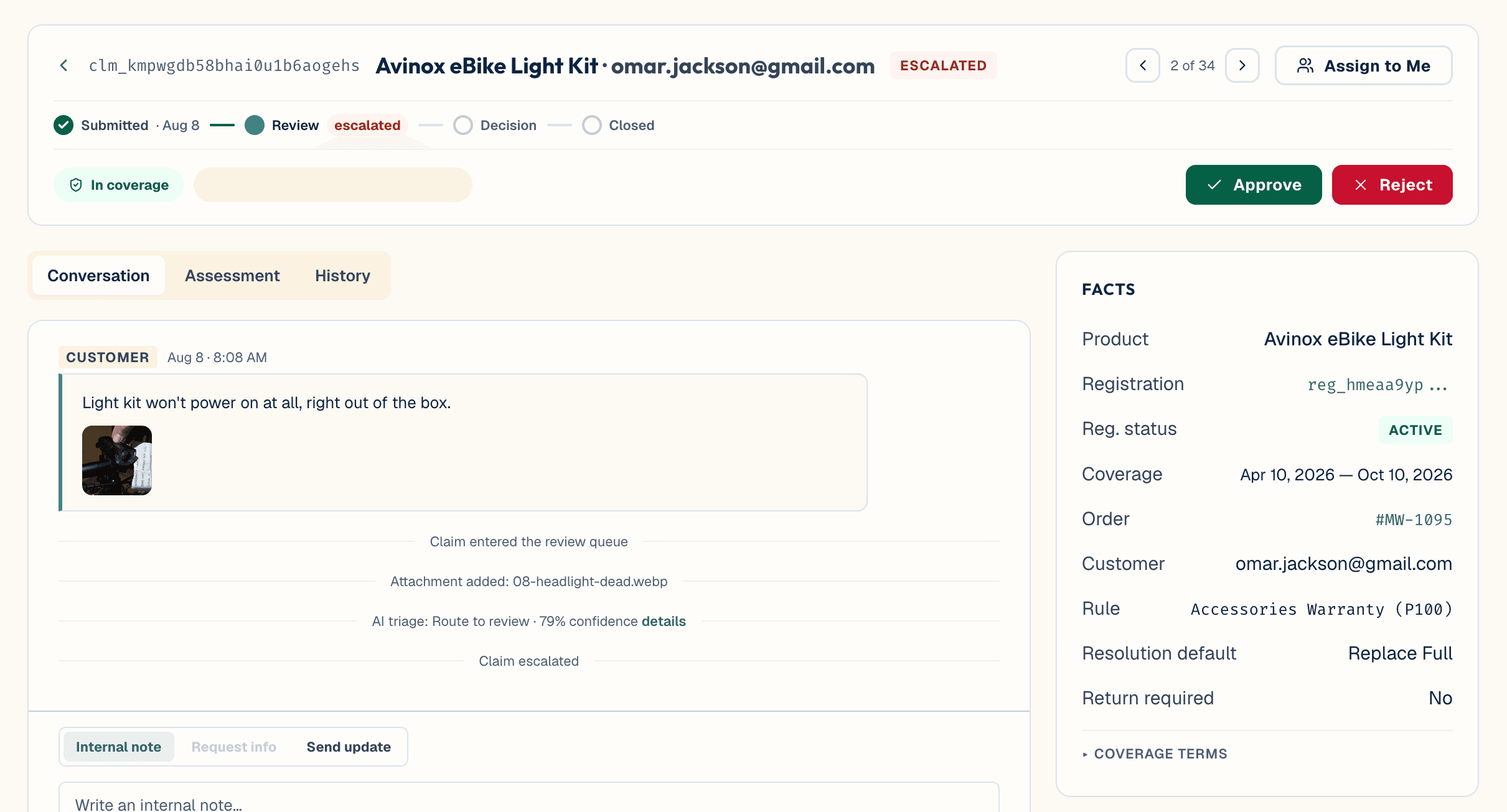
A claim moves through: submitted → in_review → approved or rejected. Two side-states can apply along the way: info_requested (the merchant asked the customer for something; their reply comes back into the claim, not email) and escalated. Attempting an illegal status transition is blocked and returns an error.
When a claim arrives, the platform automatically:
- Sorts it by complexity and likely validity.
- Categorises the defect with a confidence score.
- Suggests a resolution — repair, replace_part, replace_full, or refund — with reasoning.
Every suggestion is something a person can accept, change, or ignore. Nothing is decided automatically unless a merchant has explicitly turned on auto-approval above a confidence threshold they set — off by default, set from Settings → Intelligence tab → AI Triage section.
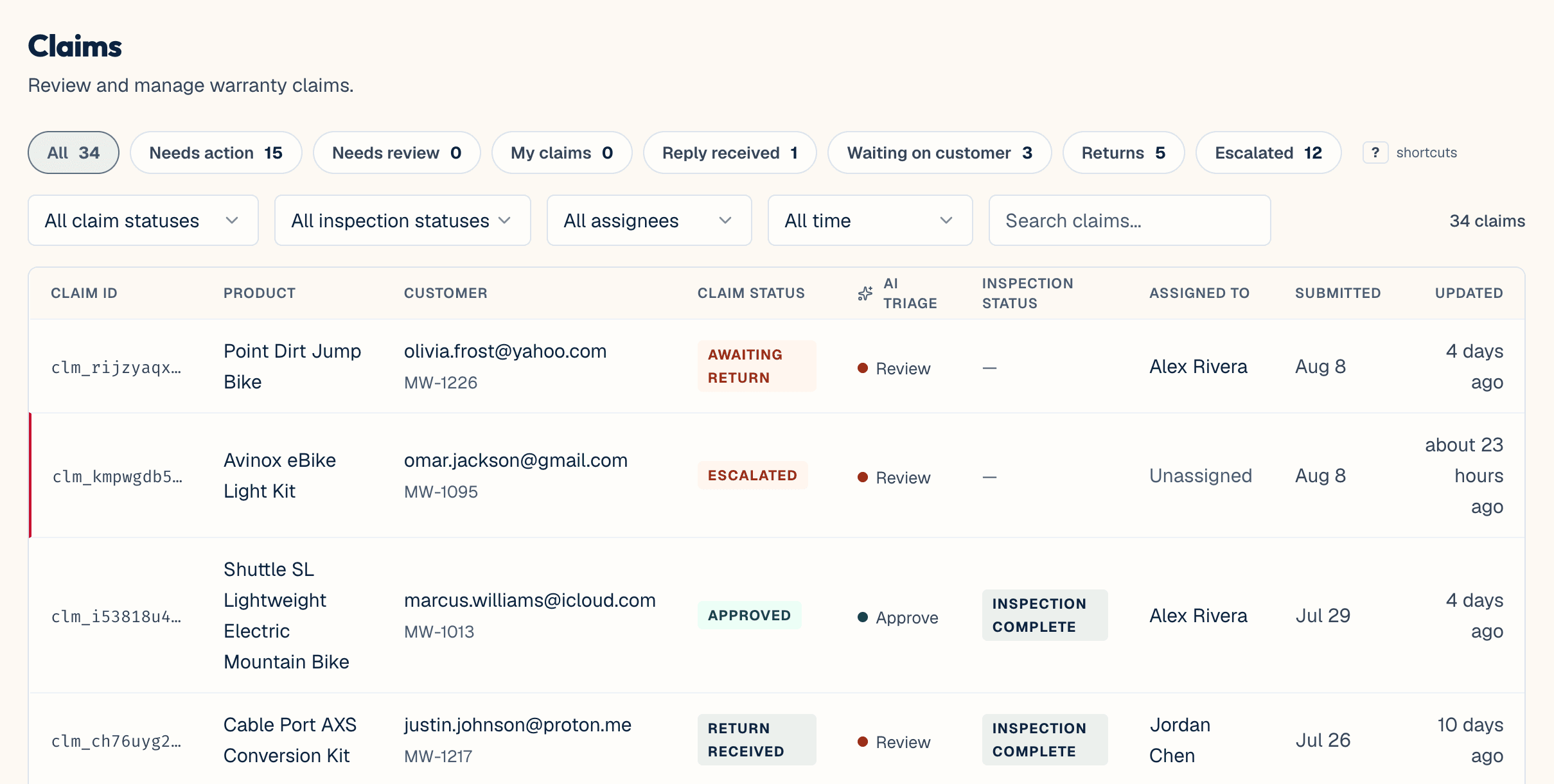
Claim triage buckets are called queues (not "departments"). The Claims list — a top-level Claims sidebar item — shows a queue-strip view with filters for status, inspection status, assignee, and date range, plus search and keyboard shortcuts for fast triage: j/k to navigate, Enter to open, ? for help.
There's no bulk-action or multi-select on the Claims list today. Mutations happen one claim at a time, on its detail page.
Escalation happens on three layers:
- Time-based thresholds — 48+ hours in submitted, or 7+ days in review — make a claim eligible for escalation.
- An AI evaluation toggle at Settings → Intelligence tab → AI Suggestions section (Escalation Intelligence), on by default, decides what happens next. On: the AI judges the claim in context and can escalate it immediately if warranted; if it decides not to yet, the claim keeps waiting, up to the hard limit below. Off: an eligible claim escalates immediately and automatically, with no AI judgment involved.
- A fixed, non-configurable hard limit — about 4 days in submitted, about 14 days in review — always escalates a claim once reached, if the AI has been deferring. With the toggle off, claims escalate well before this limit anyway, so it only matters when the toggle is on.
Defect categorisation uses merchant-editable option lists at Settings → Intelligence → Defect Intelligence: categories, affected areas/components, usage context, root cause, and item disposition — split into assessment fields (used at submission) and inspection fields (used at the Returns & Inspection desk). See AI & Intelligence for the full breakdown.
There's no approval-limit system of any kind — no monetary threshold, no per-role gate, no per-resolution-type gate. Any team member (agent, admin, or owner) can approve any resolution. That's a team-process choice today, not something the platform enforces.
Internal notes on a claim are never shown to the customer — added from the Internal note tab on a claim's detail page (Claims → open a claim). Only messages sent deliberately, via Send update or Request info, reach them.
As a claim moves, the platform sends automatic emails to the customer: order/registration confirmation, claim submitted, claim status changed, claim escalated, claim update, return shipping instructions, return received confirmation, and registration expiring/expired. The body text of each is editable at Settings → Emails.
See also: Returns & Inspection for what happens when a claim resolution requires a unit to come back.