Registrations
The coverage record binding one customer to one specific unit and one warranty rule.
A registration is the coverage record binding one customer to one specific unit and one coverage rule. It's created when a customer registers a product in the portal, or through self-attested registration when their purchase can't be matched to an order.
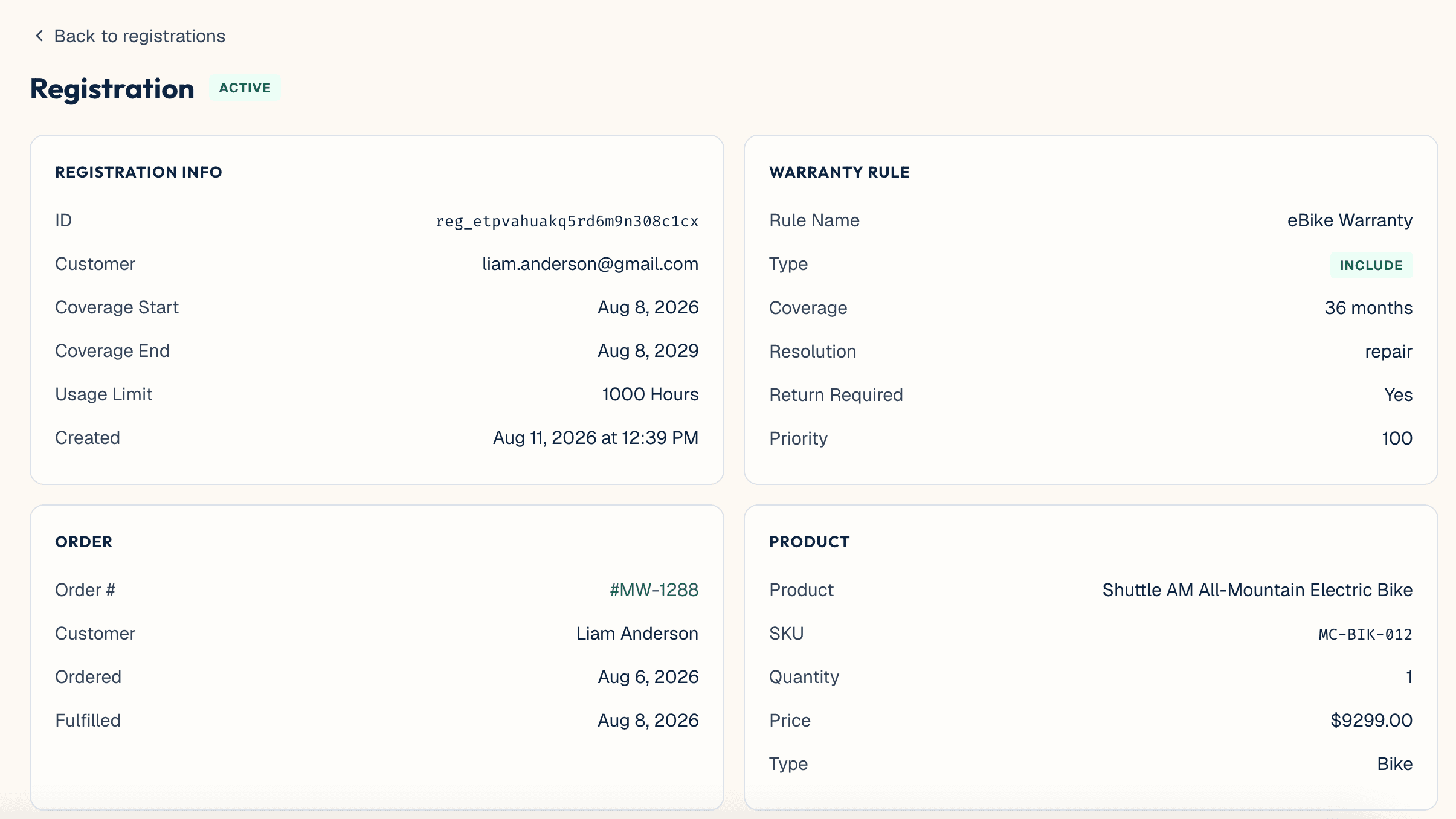
- Active — in force.
- Expired — the coverage window has passed.
- Voided — cancelled, typically because the order was refunded. A refunded order automatically voids the registration attached to it.
- Pending review — a self-attested registration awaiting a decision from someone on the merchant's team. It never auto-promotes to active.
- Rejected — a self-attested claim of ownership that was refused.
A customer can register a product without their order being found — for example, they bought it from a retailer, or before the store was connected — by attesting to their purchase. This creates a pending review registration rather than an active one; a person on the merchant's team must approve or reject it, and nothing is granted automatically.
This capability is merchant-controlled at Settings → General → Self-Attested Registrations, and is only available on Growth and Scale plans, not Starter.
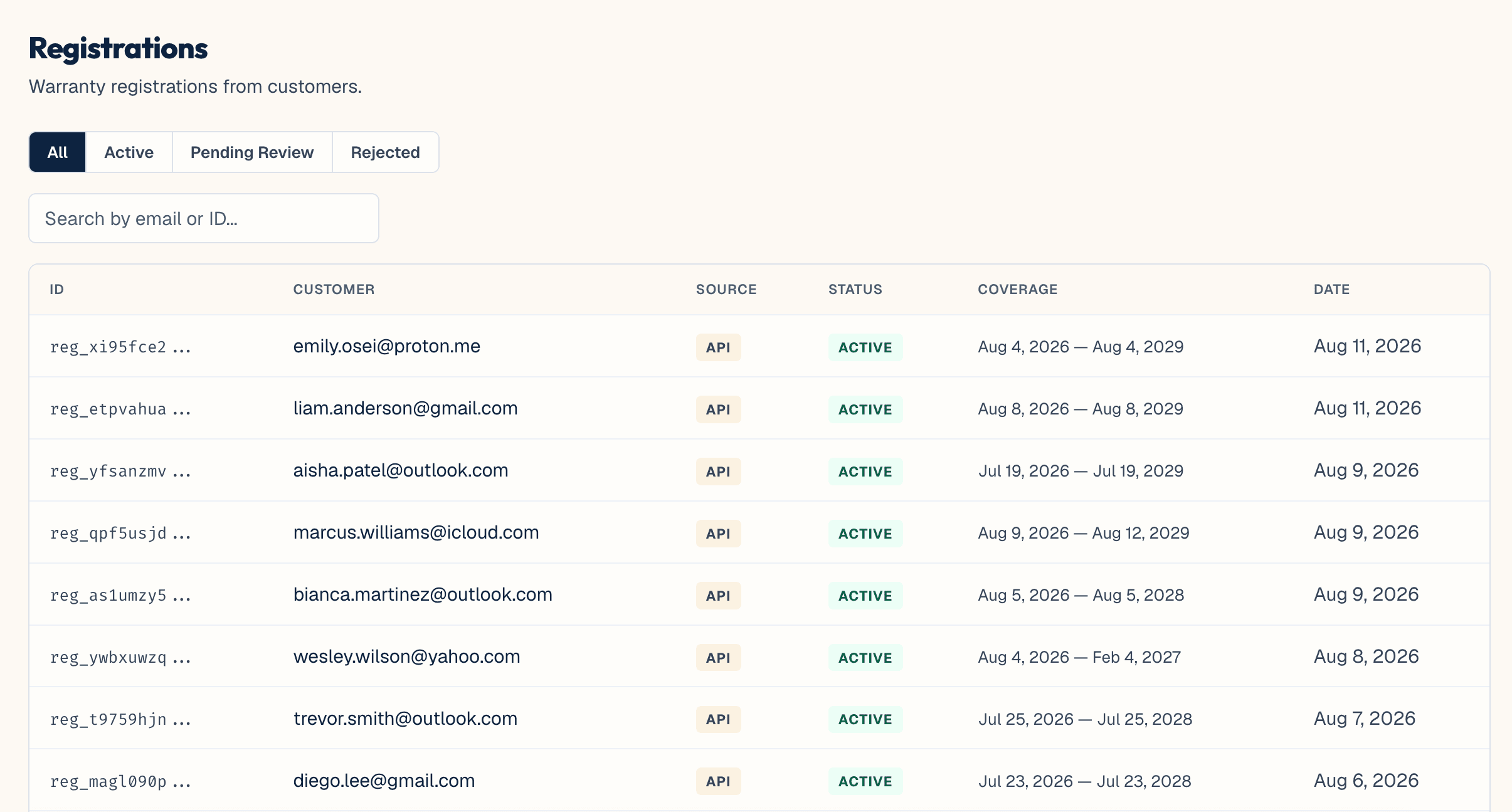
The Registrations list, a top-level item in the admin, lets a team browse, search, and filter registrations by All, Active, Pending Review, or Rejected. It's where pending self-attested registrations get approved or rejected.
There's no manual "create a registration by hand" action and no manual "void" action in the admin. Voiding currently only happens automatically, when the order attached to a registration is refunded.
A voided registration still counts in dashboard reporting totals — it's broken out separately, not excluded.
See also: Claims — a claim is always filed against a registration, never directly against an order or product.